Convert Photo to Passport Size Online Free (2026): Crop, Background, Pixels, and Print
Convert photo to passport size online from a normal portrait. Use the right passport, visa, or ID preset, crop the face, clean the background, and export a digital file or print sheet without guessing.

What "convert photo to passport size" usually means
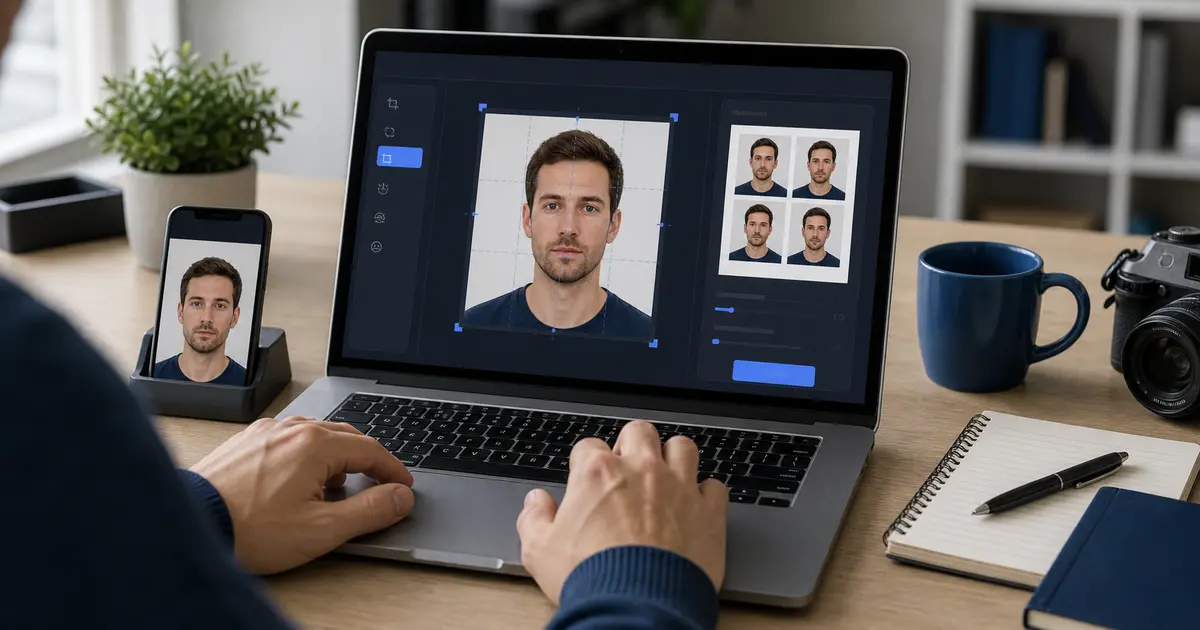
Most searches for convert photo to passport size, convert photo to passport size free, or convert photo to passport size online free are not asking for a simple resize. The user usually has a normal portrait and wants it turned into a document photo that fits a real passport, visa, ID, or print workflow.
That means the converter has to answer four questions in order: which document size is needed, where the face should sit, whether the background is acceptable, and what kind of output is required. If any one of those is skipped, the image may be passport-sized in name only.
The wording changes across searches like convert image to passport size, convert picture to passport size, convert jpg to passport size photo online free, and create passport photo online. The job is still the same: start with an ordinary image, finish with a usable passport-size result.
Quick workflow for converting a normal photo
- Choose the passport, visa, or ID preset before touching the crop.
- Upload the portrait you want to convert.
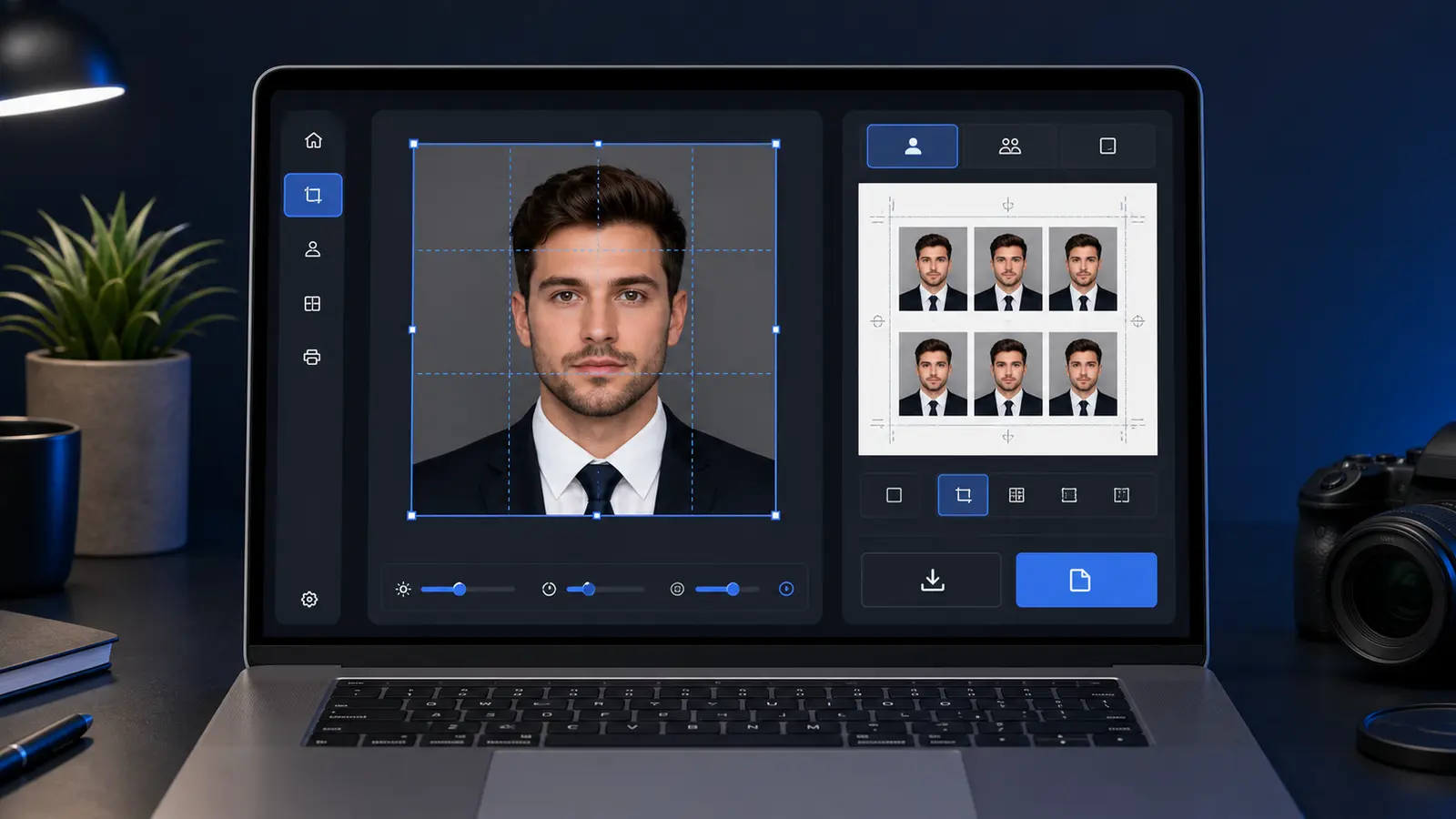
- Fit the face to the document guide and fix small tilt or framing problems.
- Review the background and clean it only if the route requires a plain background.
- Export the right format: a single digital image for upload, or a print sheet for home or shop printing.
This order matters. A crop-first tool can make the photo look square or rectangular, but it cannot tell you whether the head size, file size, or print layout is right for the document you are preparing.
Common passport-size conversion targets
| Search intent | Usually means | Best Passlens path |
|---|---|---|
| Convert photo to passport size | Turn a normal portrait into the required passport, visa, or ID frame | Use the passport photo maker |
| Convert photo to 2x2 passport size | U.S.-style 2 x 2 inch photo, often 600 x 600 px for upload math | Check the 2x2 pixel guide |
| Convert image to 35x45 mm | A common portrait document-photo format used by many countries | Open the 35x45 photo guide |
| Convert passport photo for printing | Prepare a printable 4x6, A4, or Letter sheet | Open print layouts |
| Convert JPG to passport size photo online free | Use a normal phone or camera file as the source and export a document photo | Open the free maker guide |
The table is split by job, not by file extension. A JPG, PNG, HEIC, or WebP source can all work. What matters more is whether the final output matches the document rule and stays sharp enough after export.
Best page for each conversion wording
Keep this guide for the normal-portrait problem. If the photo already has the right crop and only needs a pixel or file-size adjustment, the resizer is the faster route. If the user already knows the final document is a U.S.-style square, the 2x2 maker is cleaner than a broad conversion guide.
| Search wording | Best page | Why that page fits |
|---|---|---|
| convert photo to passport size | This conversion guide | Start with a normal portrait, choose the document frame, then decide the export route |
| passport photo maker online | Passport photo maker | Build the photo in the browser from crop through download or print sheet |
| 2x2 passport photo online free | 2x2 passport photo maker | Make the U.S.-style 2 x 2 inch square instead of guessing from a generic crop |
| resize passport photo | Passport photo resizer | Adjust pixels, DPI, upload limits, or print scale after the document route is known |
| passport photo checker online free | Passport photo checker | Review a nearly finished file before upload, print, or another edit pass |
That split protects users from the usual mistake: treating every passport-size job as a resize. A useful converter chooses the document rule first, then crops, checks the face, and exports the file the next step actually asks for.
This is also why the convert guide should not compete with the direct maker route. The passport photo maker is for doing the full job in the editor. The 2x2 passport photo maker is for square U.S.-style output. The passport photo checker is for reviewing a finished file. This guide owns the in-between problem: a normal portrait that still needs to become a passport-size photo.
What usually needs to change when you convert a normal photo
- Crop and framing: the face must sit at the right size inside the final canvas.
- Background: casual portraits often have the wrong room, wall, shadow, or color.
- Rotation and alignment: a slight tilt can be fine casually but look wrong in a document photo.
- Pixel size: upload portals may care about 600 x 600, 400 x 514, or another exact target.
- Print layout: a single image is not the same thing as a 4x6, A4, or Letter print sheet.
The safest converter does more than resize. It makes the document frame visible, helps you inspect the face position, and keeps the output choice clear before the file is downloaded.
What "free" should mean in a passport photo converter
A free converter should let you see whether the result is usable before you commit to it. If a page lets you upload, edit, and then hides the useful download behind a surprise wall, the user has not really been given a free workflow.
For Passlens, the free path is simple: choose a preset, review the crop, prepare the background, and export the file or sheet you need. The paid question should not appear just because someone wants to finish a basic passport-size conversion.
Common mistakes when converting to passport size
- Resizing the whole image before choosing the document preset.
- Using a square crop for a country that needs a portrait format.
- Upscaling a blurry source photo just to hit a pixel number.
- Removing the background but leaving rough edges around hair or shoulders.
- Downloading a single image when the next step actually needs a printable sheet.
A good conversion workflow catches these issues early. The user should not have to discover the problem only after a portal rejects the upload or a print comes out at the wrong scale.