

No signup for the web tool
You can upload, review the result, and download the PNG without creating an account.
Removedor de fundo grátis online
Grátis, sem cadastro e sem condições escondidas. Escolha um JPG, PNG ou WebP. O Passlens recorta o sujeito e entrega um PNG transparente para fotos de passaporte, produtos, perfis e documentos.
Quick answer
Use the upload box below when you need a simple background remover, not a full design app. Passlens accepts JPG, PNG, and WebP files, removes the scene around the subject, and returns a transparent PNG you can use in a passport-photo workflow, product listing, profile image, or document upload.
You can upload, review the result, and download the PNG without creating an account.
The finished file keeps the subject and removes the background instead of flattening it onto white.
Manual downloads from this page are not stamped with a Passlens watermark.
For passports, visas, and IDs, move the cutout into the Passlens editor so size, crop, and print layout are checked too.
Works for more than ID photos
Use this page when the subject is usable but the background is not. Passlens turns everyday JPG, PNG, and WebP uploads into transparent PNG cutouts for the common jobs people usually open a background remover for.
Cut out a product from a desk, shelf, or room background before using it in a listing, catalog draft, or comparison page.
Remove a wall, room, or outdoor scene behind a headshot before using the image in a profile, form, CV, or team page.
Clean up a logo, sticker, or simple graphic when the subject has clear edges and you need a transparent PNG.
Try object photos where the subject is clear. Check the edge after removal before you publish or print the PNG.
Pick the right output
The wording changes, but the job is usually the same: keep the subject, remove the scene, and download a transparent PNG. Use the checks below before you trust the file.
Use it when the photo works but the room, wall, desk, or street behind it does not.
Zoom in around hair, glass, handles, wheels, and shadows before downloading.Download a PNG with the removed area left transparent, not flattened onto white.
Preview the PNG on both a dark and a light surface if edge quality matters.Turn a quick product shot into a cutout for listings, catalog drafts, or comparison pages.
Check small gaps, tabletop shadows, labels, and handles before you publish.Clean up a headshot or avatar source before a CV, profile, team page, or form upload.
Look closely at hair, glasses, shoulders, collars, and any bright edge glow.Works best for simple marks, stickers, and graphics with clear edges.
Use the original design file if you have it; photos of logos can leave rough edges.Manual web downloads do not require an account and are not stamped.
API and developer usage is separate from the free manual page.Para ajustes rápidos
Esta página foca no trabalho real: remover um fundo que distrai, revisar a borda e seguir em frente. Não há bloqueio de conta entre o envio e o PNG.
 PNG transparente
Teste agora
Comece com uma foto clara em que o assunto seja fácil de ver. Confira a borda antes de usar o resultado em anúncio, perfil, fluxo de foto para passaporte ou envio de documento.
Proteção contra spam
Precisa disso para passaporte, visto ou documento?
Abrir o editor de foto ID do Passlens Pronto para reutilizar
Usos comuns
Remover fundo ajuda quando a foto está boa, mas o cenário ao redor não. Mantenha o assunto, retire a distração e escolha onde a imagem pronta será usada.
Remova parede ou ambiente de fundo e abra o Passlens para ajustar tamanho e impressão.
Transforme uma foto rápida de produto em um recorte limpo para anúncios, catálogos e comparações.
Limpe retratos, fotos de inscrição e imagens de documentos antes de enviá-las.
Fluxo
O fluxo fica visível do começo ao fim. Envie o original, revise o recorte e baixe um PNG transparente ou continue no Passlens para tamanho oficial.
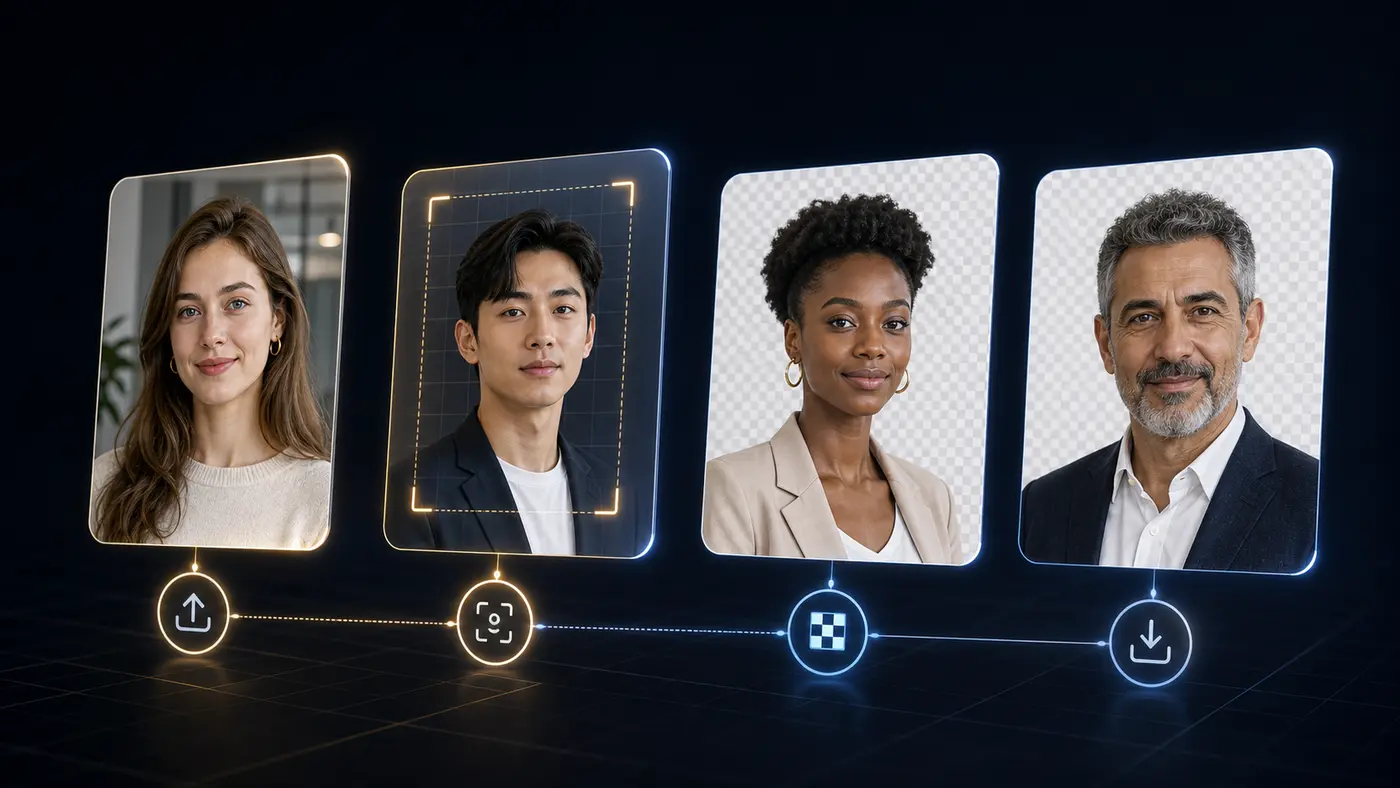
Melhores resultados
Resultados fracos geralmente vêm de desfoque, bordas escondidas ou baixo contraste. Uma revisão rápida antes de baixar pega esses problemas a tempo.
Use uma foto nítida com o assunto completo visível.
Confira cabelo fino, óculos, roupa escura e sombras antes de baixar.
Para fotos oficiais, termine tamanho, posição da cabeça e folha de impressão no Passlens.
Background remover FAQ
Answers for the searches people make before they try a free background remover: price, signup, watermark, file type, transparent PNG output, and document-photo use.
Yes. The manual web tool on this page is free for one-off background removal. Paid plans are for API or MCP usage, not for downloading a normal PNG from this page.
No. You can use the upload tool, preview the result, and download the transparent PNG without signing in.
No. The manual download from this page is a clean transparent PNG without a Passlens watermark.
Use JPG, PNG, or WebP. A sharp photo with the full subject visible usually gives the cleanest edge.
Yes, but background removal is only one step. After the cutout looks clean, use the Passlens ID photo editor to apply the right size, crop, background color, and print layout.
This standalone remover sends the selected image to Passlens for the background-removal request. The image is used for that job and cleared after processing.
 API and MCP
Para desenvolvedores
O removedor público continua gratuito para edições manuais. O acesso API e MCP fica no painel do desenvolvedor, junto com conta, chaves, uso e cotas.