

No signup for the web tool
You can upload, review the result, and download the PNG without creating an account.
Kostenloser Online-Hintergrundentferner
Kostenlos, ohne Registrierung und ohne Haken. Wählen Sie JPG, PNG oder WebP. Passlens stellt das Motiv frei und liefert ein transparentes PNG für Passfotos, Produkte, Profile und Dokumente.
Quick answer
Use the upload box below when you need a simple background remover, not a full design app. Passlens accepts JPG, PNG, and WebP files, removes the scene around the subject, and returns a transparent PNG you can use in a passport-photo workflow, product listing, profile image, or document upload.
You can upload, review the result, and download the PNG without creating an account.
The finished file keeps the subject and removes the background instead of flattening it onto white.
Manual downloads from this page are not stamped with a Passlens watermark.
For passports, visas, and IDs, move the cutout into the Passlens editor so size, crop, and print layout are checked too.
Works for more than ID photos
Use this page when the subject is usable but the background is not. Passlens turns everyday JPG, PNG, and WebP uploads into transparent PNG cutouts for the common jobs people usually open a background remover for.
Cut out a product from a desk, shelf, or room background before using it in a listing, catalog draft, or comparison page.
Remove a wall, room, or outdoor scene behind a headshot before using the image in a profile, form, CV, or team page.
Clean up a logo, sticker, or simple graphic when the subject has clear edges and you need a transparent PNG.
Try object photos where the subject is clear. Check the edge after removal before you publish or print the PNG.
Pick the right output
The wording changes, but the job is usually the same: keep the subject, remove the scene, and download a transparent PNG. Use the checks below before you trust the file.
Use it when the photo works but the room, wall, desk, or street behind it does not.
Zoom in around hair, glass, handles, wheels, and shadows before downloading.Download a PNG with the removed area left transparent, not flattened onto white.
Preview the PNG on both a dark and a light surface if edge quality matters.Turn a quick product shot into a cutout for listings, catalog drafts, or comparison pages.
Check small gaps, tabletop shadows, labels, and handles before you publish.Clean up a headshot or avatar source before a CV, profile, team page, or form upload.
Look closely at hair, glasses, shoulders, collars, and any bright edge glow.Works best for simple marks, stickers, and graphics with clear edges.
Use the original design file if you have it; photos of logos can leave rough edges.Manual web downloads do not require an account and are not stamped.
API and developer usage is separate from the free manual page.Für schnelle Korrekturen
Diese Seite löst den typischen Fall: störenden Hintergrund entfernen, Kante prüfen und weiterarbeiten. Zwischen Upload und PNG steht keine Kontoabfrage.
 Transparentes PNG
Jetzt ausprobieren
Starten Sie mit einem klaren Foto, auf dem das Motiv gut erkennbar ist. Prüfen Sie die Kante, bevor Sie das Ergebnis für Listing, Profil, Passfoto-Ablauf oder Dokument-Upload nutzen.
Spam-Schutz
Brauchen Sie das für ein Pass-, Visa- oder Ausweisfoto?
Passlens-Ausweisfoto-Editor öffnen Bereit zur Nutzung
Häufige Nutzung
Hintergrundentfernung hilft, wenn das Foto passt, aber die Umgebung stört. Behalten Sie das Motiv, entfernen Sie Unruhe und entscheiden Sie dann, wohin das fertige Bild gehört.
Entfernen Sie Wand oder Raum im Hintergrund und öffnen Sie Passlens für Größe und Druck.
Machen Sie aus einem schnellen Produktfoto einen sauberen Freisteller für Listings, Kataloge und Vergleichsseiten.
Bereinigen Sie Porträts, Bewerbungsfotos und Dokumentbilder vor dem Upload.
Ablauf
Der Ablauf bleibt von Anfang bis Ende sichtbar. Laden Sie das Original hoch, prüfen Sie den Freisteller und laden Sie ein transparentes PNG herunter oder gehen Sie für offizielle Größen weiter zu Passlens.
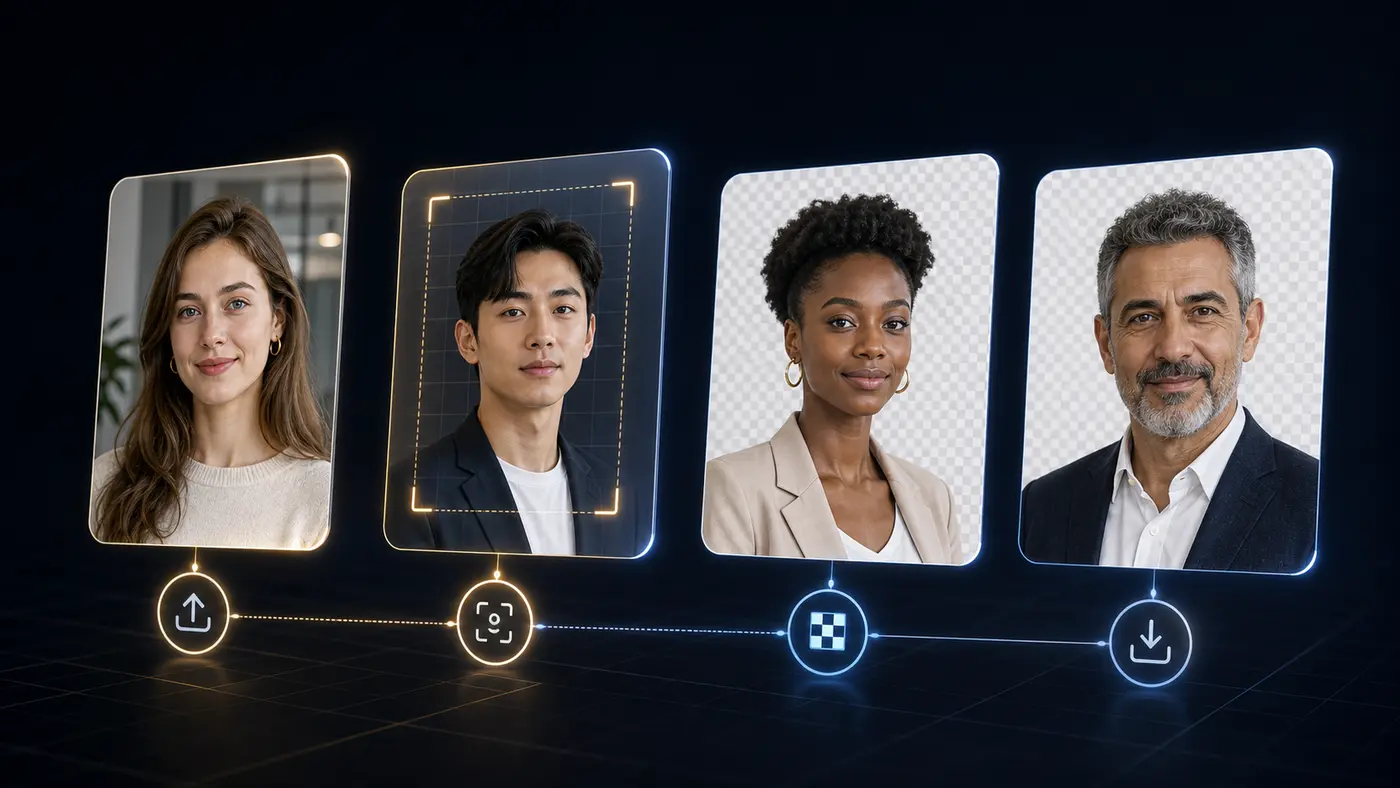
Bessere Ergebnisse
Schwache Ergebnisse entstehen meist durch Unschärfe, verdeckte Motivkanten oder wenig Kontrast. Eine kurze Prüfung vor dem Download fängt diese Probleme ab.
Nutzen Sie ein scharfes Foto, auf dem das ganze Motiv sichtbar ist.
Prüfen Sie feine Haare, Brillen, dunkle Kleidung und Schatten vor dem Download.
Für offizielle Fotos erledigen Sie Größe, Kopfposition und Druckbogen in Passlens.
Background remover FAQ
Answers for the searches people make before they try a free background remover: price, signup, watermark, file type, transparent PNG output, and document-photo use.
Yes. The manual web tool on this page is free for one-off background removal. Paid plans are for API or MCP usage, not for downloading a normal PNG from this page.
No. You can use the upload tool, preview the result, and download the transparent PNG without signing in.
No. The manual download from this page is a clean transparent PNG without a Passlens watermark.
Use JPG, PNG, or WebP. A sharp photo with the full subject visible usually gives the cleanest edge.
Yes, but background removal is only one step. After the cutout looks clean, use the Passlens ID photo editor to apply the right size, crop, background color, and print layout.
This standalone remover sends the selected image to Passlens for the background-removal request. The image is used for that job and cleared after processing.
 API and MCP
Für Entwickler
Der öffentliche Entferner bleibt für manuelle Bearbeitungen kostenlos. API- und MCP-Zugriff liegen im Entwickler-Dashboard mit Konto, Schlüsseln, Nutzung und Quoten.