

No signup for the web tool
You can upload, review the result, and download the PNG without creating an account.
Suppression de fond gratuite en ligne
Gratuit, sans inscription et sans condition. Choisissez un JPG, PNG ou WebP. Passlens détoure le sujet et fournit un PNG transparent pour photos d’identité, produits, profils et documents.
Quick answer
Use the upload box below when you need a simple background remover, not a full design app. Passlens accepts JPG, PNG, and WebP files, removes the scene around the subject, and returns a transparent PNG you can use in a passport-photo workflow, product listing, profile image, or document upload.
You can upload, review the result, and download the PNG without creating an account.
The finished file keeps the subject and removes the background instead of flattening it onto white.
Manual downloads from this page are not stamped with a Passlens watermark.
For passports, visas, and IDs, move the cutout into the Passlens editor so size, crop, and print layout are checked too.
Works for more than ID photos
Use this page when the subject is usable but the background is not. Passlens turns everyday JPG, PNG, and WebP uploads into transparent PNG cutouts for the common jobs people usually open a background remover for.
Cut out a product from a desk, shelf, or room background before using it in a listing, catalog draft, or comparison page.
Remove a wall, room, or outdoor scene behind a headshot before using the image in a profile, form, CV, or team page.
Clean up a logo, sticker, or simple graphic when the subject has clear edges and you need a transparent PNG.
Try object photos where the subject is clear. Check the edge after removal before you publish or print the PNG.
Pick the right output
The wording changes, but the job is usually the same: keep the subject, remove the scene, and download a transparent PNG. Use the checks below before you trust the file.
Use it when the photo works but the room, wall, desk, or street behind it does not.
Zoom in around hair, glass, handles, wheels, and shadows before downloading.Download a PNG with the removed area left transparent, not flattened onto white.
Preview the PNG on both a dark and a light surface if edge quality matters.Turn a quick product shot into a cutout for listings, catalog drafts, or comparison pages.
Check small gaps, tabletop shadows, labels, and handles before you publish.Clean up a headshot or avatar source before a CV, profile, team page, or form upload.
Look closely at hair, glasses, shoulders, collars, and any bright edge glow.Works best for simple marks, stickers, and graphics with clear edges.
Use the original design file if you have it; photos of logos can leave rough edges.Manual web downloads do not require an account and are not stamped.
API and developer usage is separate from the free manual page.Pour les corrections rapides
Cette page répond au besoin courant : supprimer un fond gênant, vérifier le bord du sujet et continuer. Aucun compte n’est demandé entre l’import et le PNG.
 PNG transparent
Essayez maintenant
Commencez avec une photo nette où le sujet est facile à voir. Vérifiez le bord avant d’utiliser le résultat dans une annonce, un profil, un flux de photo d’identité ou un dépôt de document.
Protection anti‑spam
Besoin de cette image pour un passeport, un visa ou une pièce d’identité ?
Ouvrir l’éditeur de photo d’identité Passlens Prêt à réutiliser
Usages fréquents
La suppression de fond est utile quand la photo convient mais que la scène autour gêne. Gardez le sujet, retirez le désordre, puis choisissez où utiliser l’image finale.
Supprimez un mur ou une pièce en arrière-plan, puis ouvrez Passlens pour régler la taille et l’impression.
Transformez une photo rapide de produit en détourage propre pour fiches, catalogues et pages de comparaison.
Nettoyez portraits, photos de candidature et images de documents avant de les envoyer.
Flux
Le flux reste visible du début à la fin. Importez l’original, vérifiez le détourage, puis téléchargez un PNG transparent ou continuez dans Passlens pour une taille officielle.
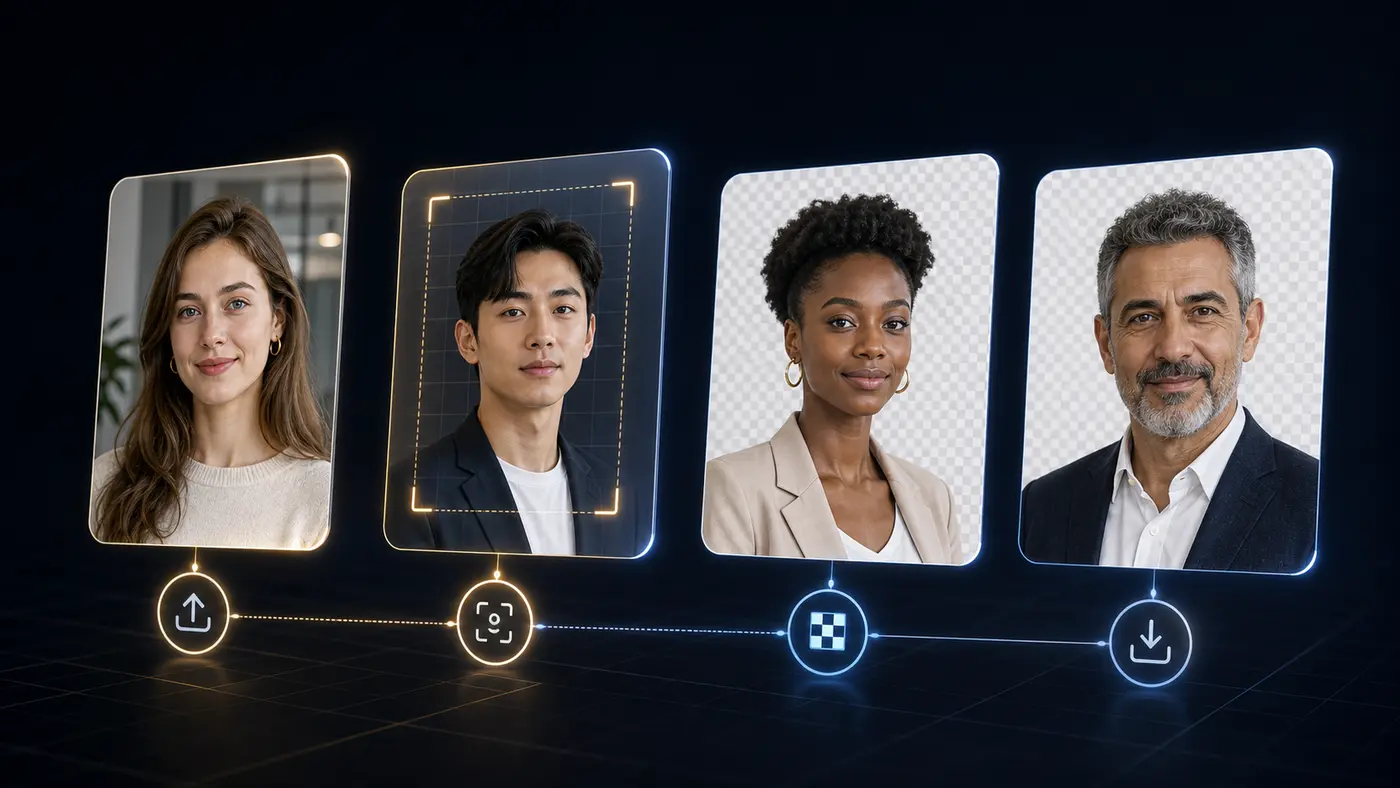
Meilleurs résultats
Les mauvais résultats viennent souvent du flou, de bords cachés ou d’un faible contraste. Un contrôle rapide avant téléchargement permet de les repérer à temps.
Utilisez une photo nette avec le sujet entier visible.
Vérifiez cheveux fins, lunettes, vêtements sombres et ombres avant de télécharger.
Pour les photos officielles, terminez la taille, la position de tête et la planche d’impression dans Passlens.
Background remover FAQ
Answers for the searches people make before they try a free background remover: price, signup, watermark, file type, transparent PNG output, and document-photo use.
Yes. The manual web tool on this page is free for one-off background removal. Paid plans are for API or MCP usage, not for downloading a normal PNG from this page.
No. You can use the upload tool, preview the result, and download the transparent PNG without signing in.
No. The manual download from this page is a clean transparent PNG without a Passlens watermark.
Use JPG, PNG, or WebP. A sharp photo with the full subject visible usually gives the cleanest edge.
Yes, but background removal is only one step. After the cutout looks clean, use the Passlens ID photo editor to apply the right size, crop, background color, and print layout.
This standalone remover sends the selected image to Passlens for the background-removal request. The image is used for that job and cleared after processing.
 API and MCP
Pour les développeurs
L’outil public reste gratuit pour les retouches manuelles. L’accès API et MCP se trouve dans le tableau de bord développeur, avec compte, clés, usage et quotas.